Skip to product information
ANYCUBIC-STORE
Free Express Shipping
ANYCUBIC-STORE
14-Day No Reason Return
ANYCUBIC-STORE
30-Day After-Sales Guarantee
ANYCUBIC-STORE
1-Year Warranty For 3D Printers
ANYCUBIC-STORE New ANYCUBIC-STORE Recommended

Kobra S1 Combo, 600mm/s Multicolor 3D Printer, 320℃ Hotend, Built-in Camera

Regular price $429.00
Sale price $429.00 Regular price $749.00
Save $320.00

Product Features:

  • Stunning 4- or 8-color Printing
  • Compatible with all Major Filaments
  • Printing Speed Up to 600mm/s
  • 44dB Ultra-Quiet Printing
  • 320℃ Hotend, Easy to Disassemble, Anti-Clogging
  • CoreXY Construction with a Print Size of 250*250*250mm
Include Filament: None
Shipping & Adapter: US
Buy it Now
ANYCUBIC-STORE
Estimated Shipping Time
Kobra S1 Combo (4 Colors)
Ships in 24 hours
ANYCUBIC-STORE
ANYCUBIC-STORE
Jan 20 - Jan 25
ANYCUBIC-STORE
Kobra S1 Combo (8 Colors)
Ships in 24 hours
ANYCUBIC-STORE
ANYCUBIC-STORE
Jan 20 - Jan 25
ANYCUBIC-STORE
View More
ANYCUBIC-STORE
Payment Methods
American Express Diners ClubDiscoverMastercardPayPalUnion PayVisa
ANYCUBIC-STORE
Delivery Method
ANYCUBIC-STORE ANYCUBIC-STORE ANYCUBIC-STORE
ANYCUBIC-STORE
Free Express Shipping
ANYCUBIC-STORE
14-Day No Reason Return
ANYCUBIC-STORE
30-Day After-Sales Guarantee
ANYCUBIC-STORE
1-Year Warranty For 3D Printers
Regular price $429.00
Sale price $429.00 Regular price $749.00
Features Specifications What's In Box Compare Reviews FAQs
Regular price $429.00
Sale price $429.00 Regular price $749.00
Add to cart

Core advantages, clear at a glance

  • Drying & Printing at the Same Time

  • Vibrant 8-Color Printing

  • Compatible with all Major Filaments

  • Fully Enclosed Core XY Construction

  • Printing Speed Up to 600mm/s

  • 320°C Hotend, 44dB Quiet Print Mode

ANYCUBIC-STORE
ANYCUBIC-STORE
ANYCUBIC-STORE

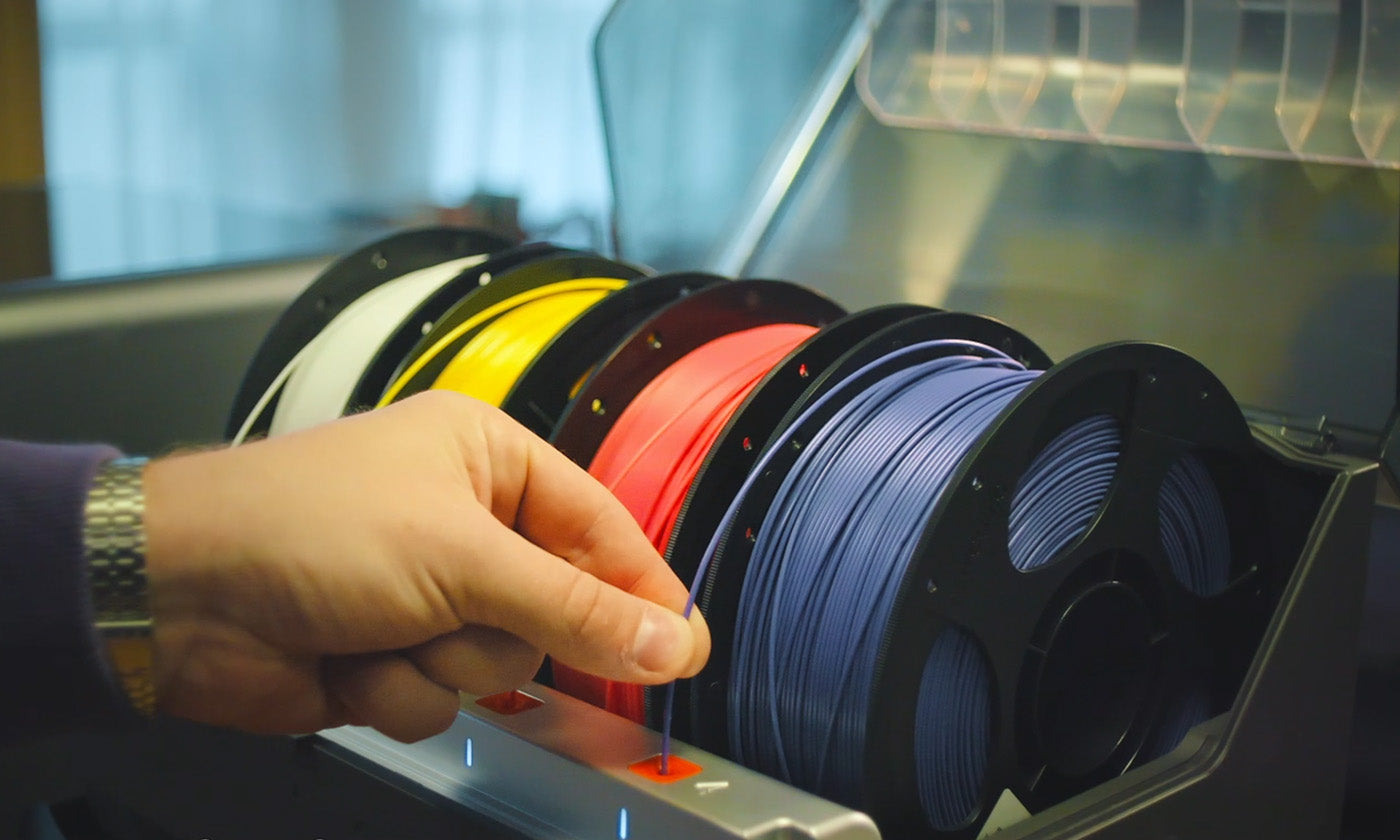
ACE Pro for Kobra S1 Printer & Dryer 2-in-1

-Flawless Printing with PLA/ABS/ASA/PETG/TPU[1] filaments
-Active Drying While Printing

Stunning 4- or 8-Color Printing[2]

-Anti-Filament Entanglement[3]
-Auto-Filament Refill

Superior Doesn't Even Begin to Describe it
ANYCUBIC-STOREANYCUBIC-STORE
Fully-Enclosed CoreXY Construction
ANYCUBIC-STOREANYCUBIC-STORE
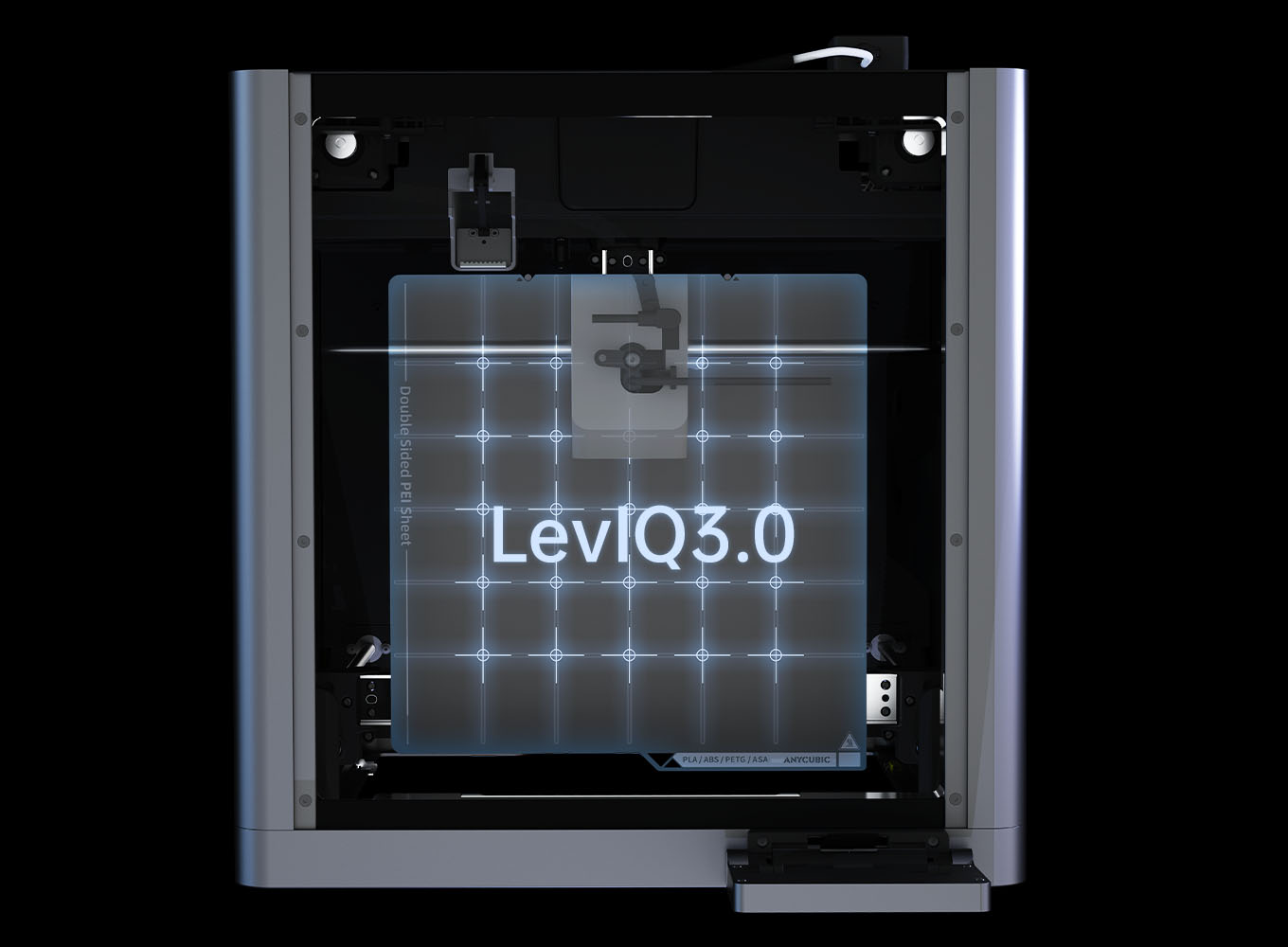
LeviQ3.0 Auto-Leveling + Z-axis Offset
ANYCUBIC-STOREANYCUBIC-STORE
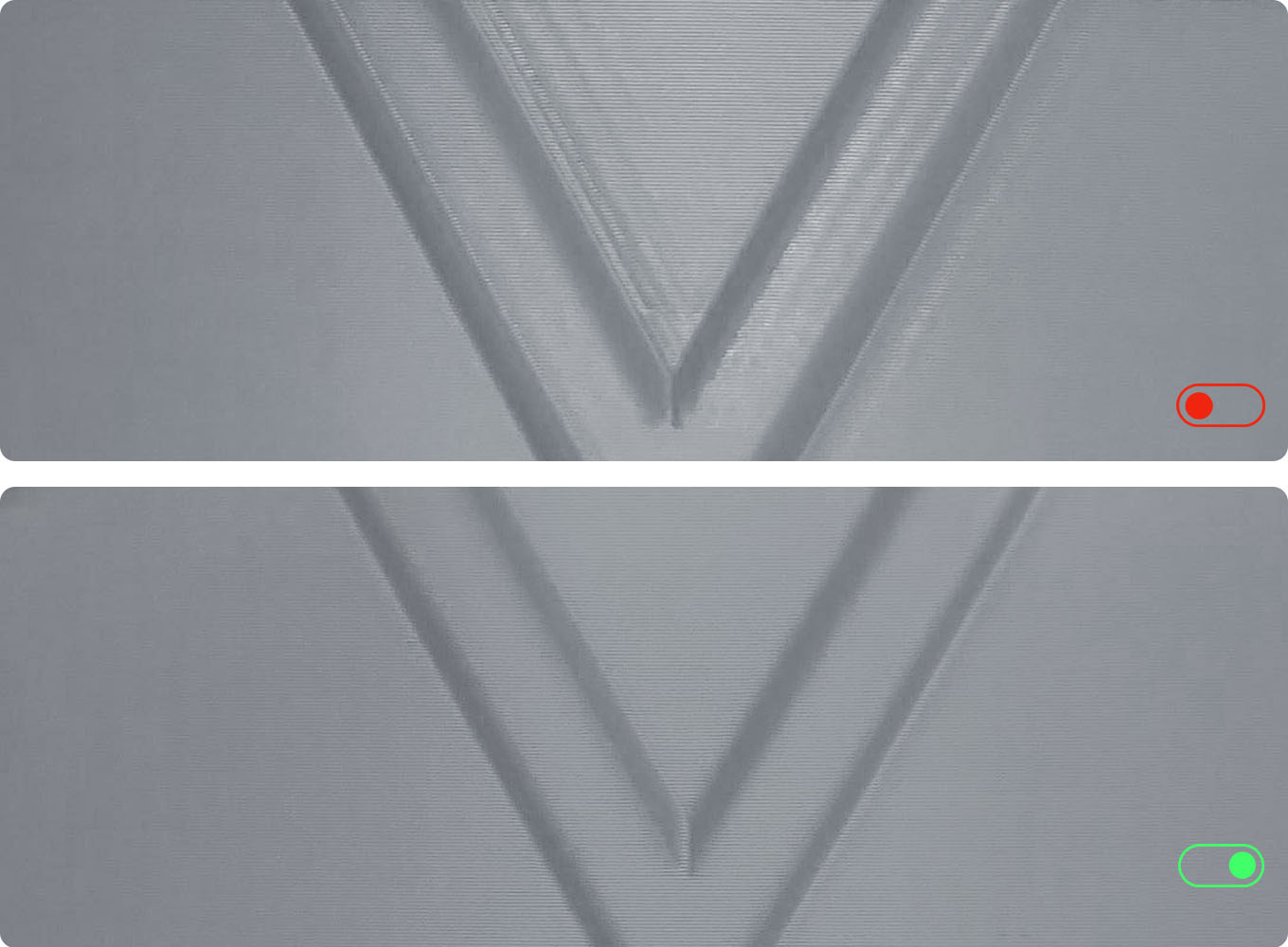
Resonance Compensation
ANYCUBIC-STOREANYCUBIC-STORE
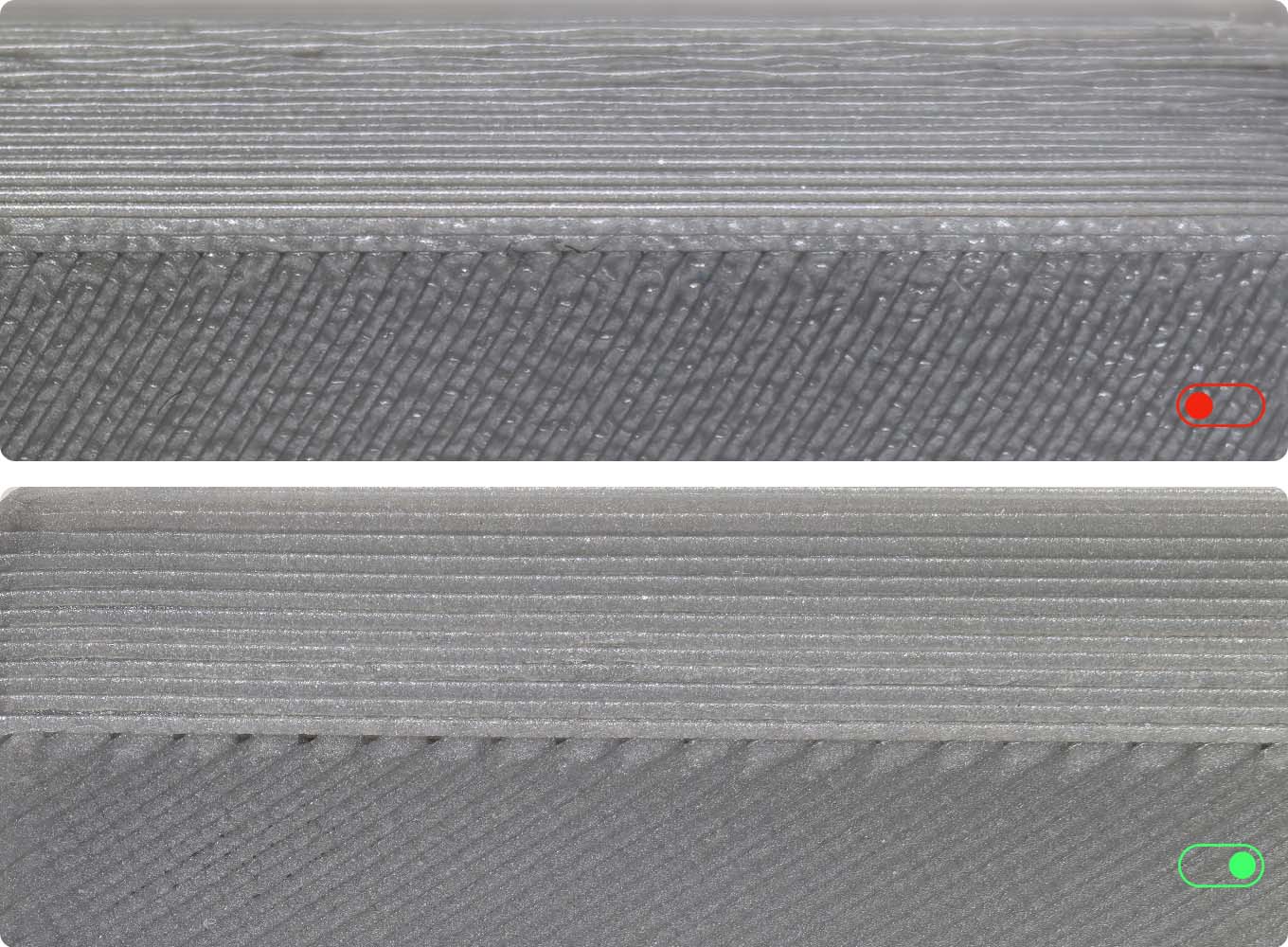
Dynamic Flow Compensation
ANYCUBIC-STOREANYCUBIC-STORE

Complete Benchy in 15mins

Recommended print speed
300mm/s
Maximum print speed up to
600mm/s
Maximum acceleration up to
20000mm/s²

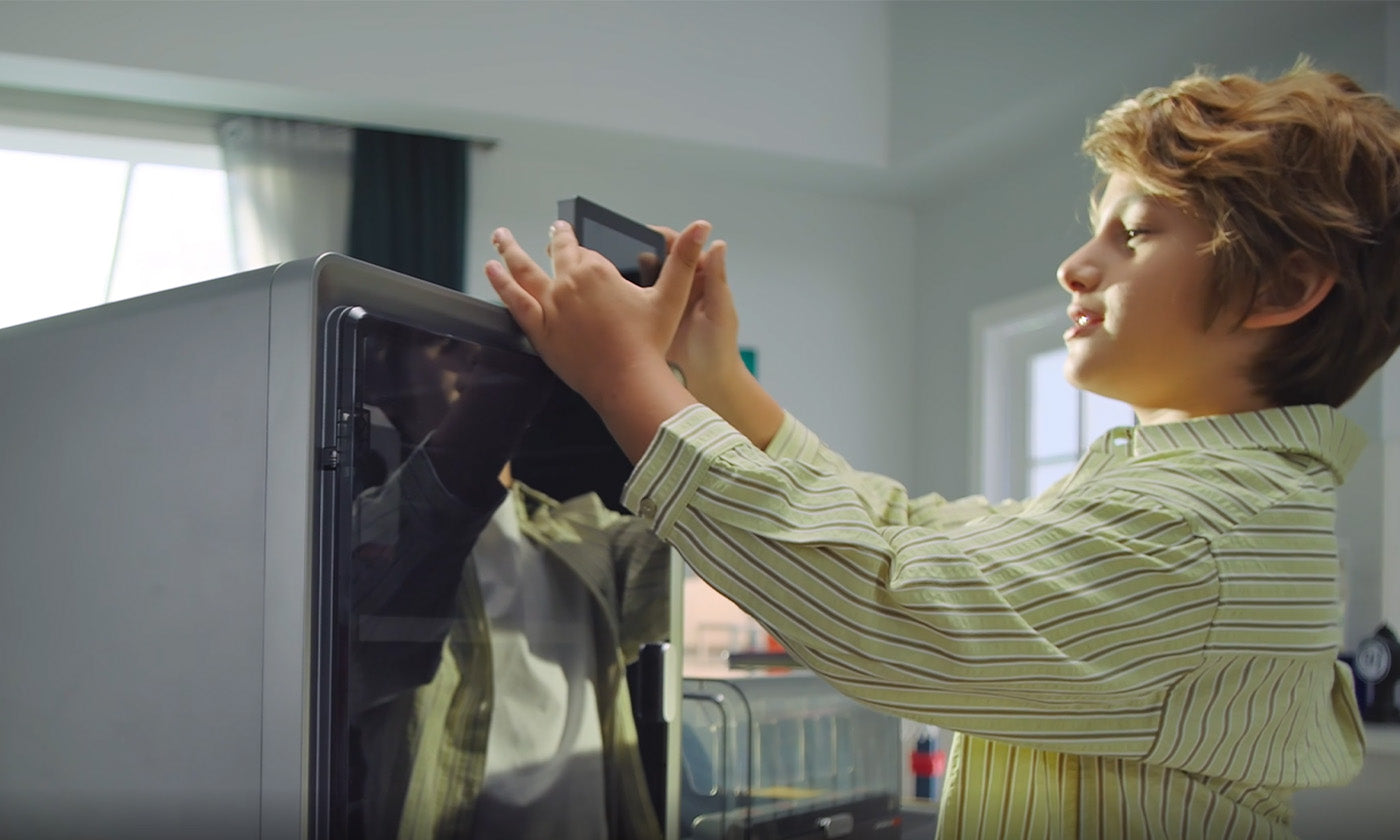
-320℃ Tools-Free Quick-Release Hotend
-Aerospace-Grade Ceramic Composite Throat Tube
Maximum Heat Resistance
Low-Friction Surface
-It comes standard with 0.4mm hotend, and supports 0.2mm/0.6mm/0.8mm hotends.

4 Intuitive Designs

-Standard Print Mode as Low as 46dB
Quiet Print Mode as Low as 44dB③
-Unbox & Start Printing in 15mins
-4.3'' Adjustable Touchscreen
-Cleaning Channel Cut-Out

AI Takes Care of Everything
ANYCUBIC-STOREANYCUBIC-STORE
-Spaghetti Detection ④
ANYCUBIC-STOREANYCUBIC-STORE
-Belt-Tension Monitoring
ANYCUBIC-STOREANYCUBIC-STORE
-Power-Loss Resume
ANYCUBIC-STOREANYCUBIC-STORE

The Anycubic Software Ecosystem

ANYCUBIC-STORE

Anycubic Slicer Next

Anycubic Slicer Next is built upon the open-source software Orca, tailored and optimized specifically for Anycubic printers. It incorporates advanced algorithms refined from various open-source iterations to elevate slicing precision and enhance the overall print quality of models.

Anycubic App

A mobile app specially designed for Anycubic printers, including remote control, remote monitoring, real-time printing records and other intelligent functions.
Specifications
Core Printing Performance

Multicolor printing

Supports 4- or 8-color printing

Printing volume

250*250*250mm

Supporting filaments

PLA, PETG, TPU[1], ABS, ASA

Print speed

600mm/s (Max.)

Recommended print speed

300mm/s

Recommended acceleration

10000mm/s²

Maximum acceleration

20000mm/s²

Nozzle temperature

320°C

Hotbed temperature

120℃

Nozzle diameter

Standard 0.4mm
Supports 0.2/0.6/0.8mm expansion
System & Mechanical Design

Construction

CoreXY

Pressure advance / flow calibration

Supported

Power-off resume printing

Supported

Filament detection

Supported
User Experience & Features

Control screen

4.3-inch capacitive touch screen

Noise

Standard mode: as low as 46dB;
Quiet mode: as low as 44dB

Complete benchy in (according to official)

15min

Camera

Included

Machine dimension

Kobra S1: 400*410*490mm
ACE Pro: 365.94*282.84*234.5mm

Package dimensions

S1C: 490*484*593mm, 25.9kg
What's In Box
ANYCUBIC-STOREANYCUBIC-STORE
Kobra S1 Printer
ANYCUBIC-STOREANYCUBIC-STORE
ANYCUBlC Color Engine Pro (ACE Pro)
ANYCUBIC-STOREANYCUBIC-STORE
Spool Holder
ANYCUBIC-STOREANYCUBIC-STORE
Signal Cable (1pc)
ANYCUBIC-STOREANYCUBIC-STORE
Filament Tube (4pcs)
ANYCUBIC-STOREANYCUBIC-STORE
Screws 2: M3*6(2pcs)
ANYCUBIC-STOREANYCUBIC-STORE
Screws 1: M2.5*25(2pcs)
ANYCUBIC-STOREANYCUBIC-STORE
Grease
ANYCUBIC-STOREANYCUBIC-STORE
2.5/2.0/1.5
ANYCUBIC-STOREANYCUBIC-STORE
Nozzle Cleaner
ANYCUBIC-STOREANYCUBIC-STORE
Filament Sample
ANYCUBIC-STOREANYCUBIC-STORE
U-DISK(1pcs)
ANYCUBIC-STOREANYCUBIC-STORE
Power Cord(2pcs)
ANYCUBIC-STOREANYCUBIC-STORE
Activated Carbon(1pcs)
ANYCUBIC-STOREANYCUBIC-STORE
Anti-blocking Module
ANYCUBIC-STOREANYCUBIC-STORE
Nozzle Silicone Part(1pcs)
ANYCUBIC-STOREANYCUBIC-STORE
Cable Organizer(2pcs)
ANYCUBIC-STOREANYCUBIC-STORE
Nozzle Cleaning Module(1pcs)

User Manuals

Unboxing Video

Kobra S1 Series Tech Specs

Explore More Printers

FAQs


What do the [1][2][3][4][5][6][7] annotations in the product details mean?

The numbered annotations on the product page correspond to the following explanations:

  1. TPU filaments are only suitable for single-color printing and cannot be used with ACE Pro for multicolor printing.
  2. Pair two ACE PRO units and an 8-color feeding unit to achieve 8-color printing.
  3. For a smoother multicolor printing experience, please prioritize the use of plastic filament spools.
  4. The data provided is measured at 1 meter away from the front of the printer. Due to individual machine differences, the actual noise level may deviate from the advertised value,which is considered normal.
  5. Need to be used with a camera. (The printer includes a camera, no separate purchase required. )
  6. Expected to launch in Q1 of 2025.
  7. To select models from Makeronline and utilize the Anycubic Slicer slicing software, you must access a PC that already has the software installed.

What steps should be taken during the first startup?

Start with PID tuning, then perform feedback compensation, and finally click on auto-leveling. After that, you can begin your printing journey. The entire process takes about 10 minutes.

What materials can the Kobra S1 Combo print?

It can perfectly print PLA, PETG, TPU (95A), ABS, and ASA. Additionally, it supports high-temperature materials such as PC, PA, carbon fiber, and glass fiber.

Does the Kobra S1 Combo have power-loss recovery and filament runout detection?

Yes, the machine supports both power-loss recovery and filament runout detection functions.

How many colors does this machine support for printing?

With the addition of ACE Pro, it supports multi-color printing. By connecting up to two ACE Pros, it can achieve 8-color printing.

Will the inside of the machine's enclosure be too dark?

The machine comes with built-in LED lights. You can turn on the LED lights to observe the model, and they also provide illumination for the time-lapse photography feature.

Is the printer noisy during operation?

The machine operates at a noise level of approximately 44dB.

What is the printing speed of Kobra S1 Combo?

The recommended printing speed is 300 mm/s, with a maximum printing speed of up to 600mm/s and a maximum acceleration of 20,000 mm/s². The time to print a small boat (layer height 0.2mm) is approximately 13 minutes.

What is the printing layer thickness of the Printer?

The standard nozzle is 0.4mm, and it supports a printing layer thickness range of 0.05mm to 0.28mm.

Does the Kobra S1 Combo include the 8 colors Filament Hub for multi-color printing?

Yes, the Kobra S1 Combo 8-color printing Pack comes with an 8 colors Filament Hub for multi-color printing. However, please note that the 8 colors Filament Hub will be shipped separately.

What do I need to be aware of when replacing or cleaning the Kobra S1 hotend?

Wait for the filament to cool completely before removing/unplugging the hotend. We do not recommend removing the hot end before the filament has cooled down. The molten filament may pull out the high temperature ceramic composite tube, causing cooled filament to accumulate inside the throat, which could affect the cleaning and reinstallation of the hot end.